Plus title and adjustment-layer support. Designed for iPads with Apple silicon M1 or later. Requires iPadOS 17 or later. Use on other hardware is at your own discretion. Compatibility, performance and operation on those devices are not guaranteed. Individual features may have additional device and operating-system requirements.
Inside the current workspace
Real footage. Real creative control.
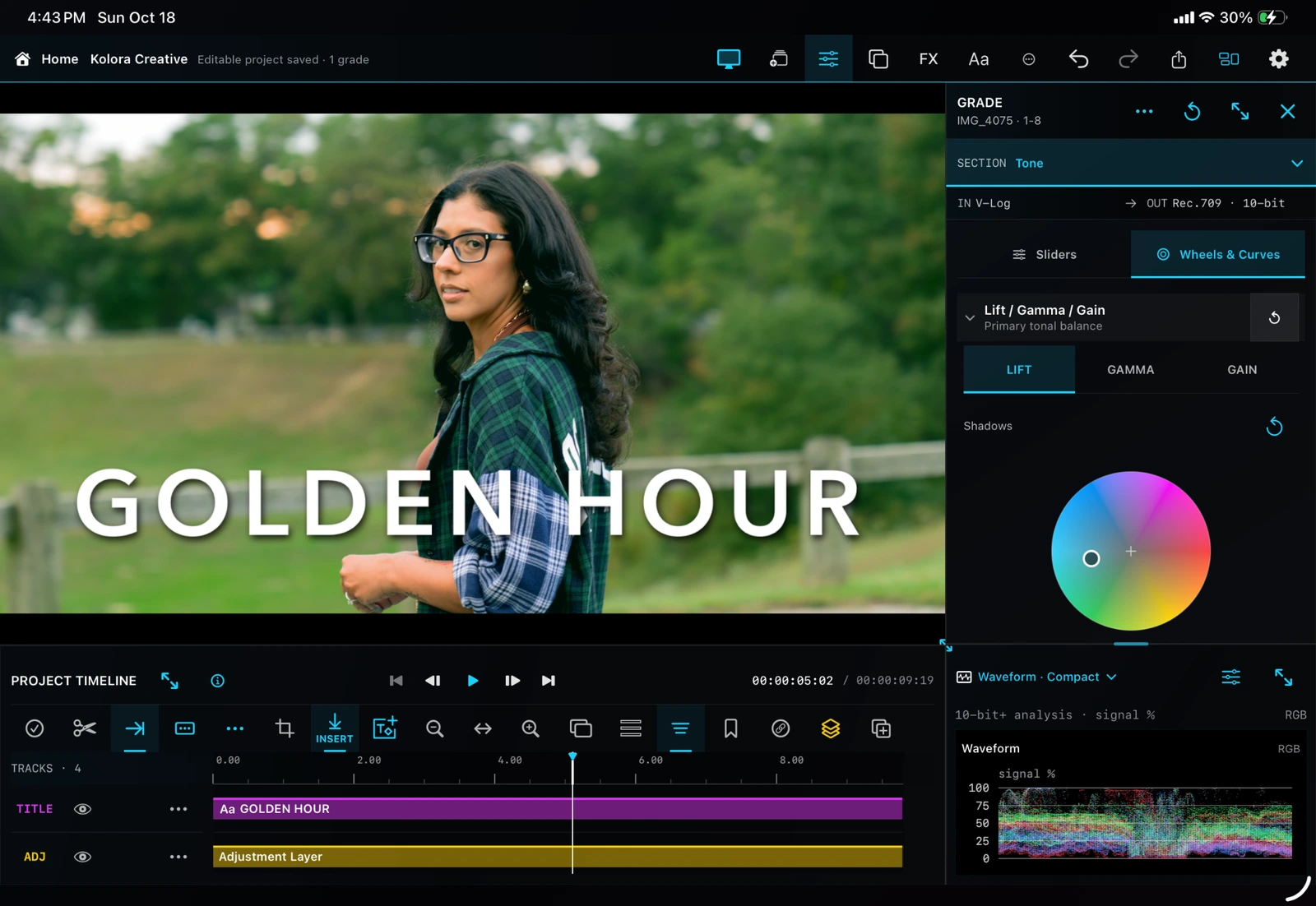
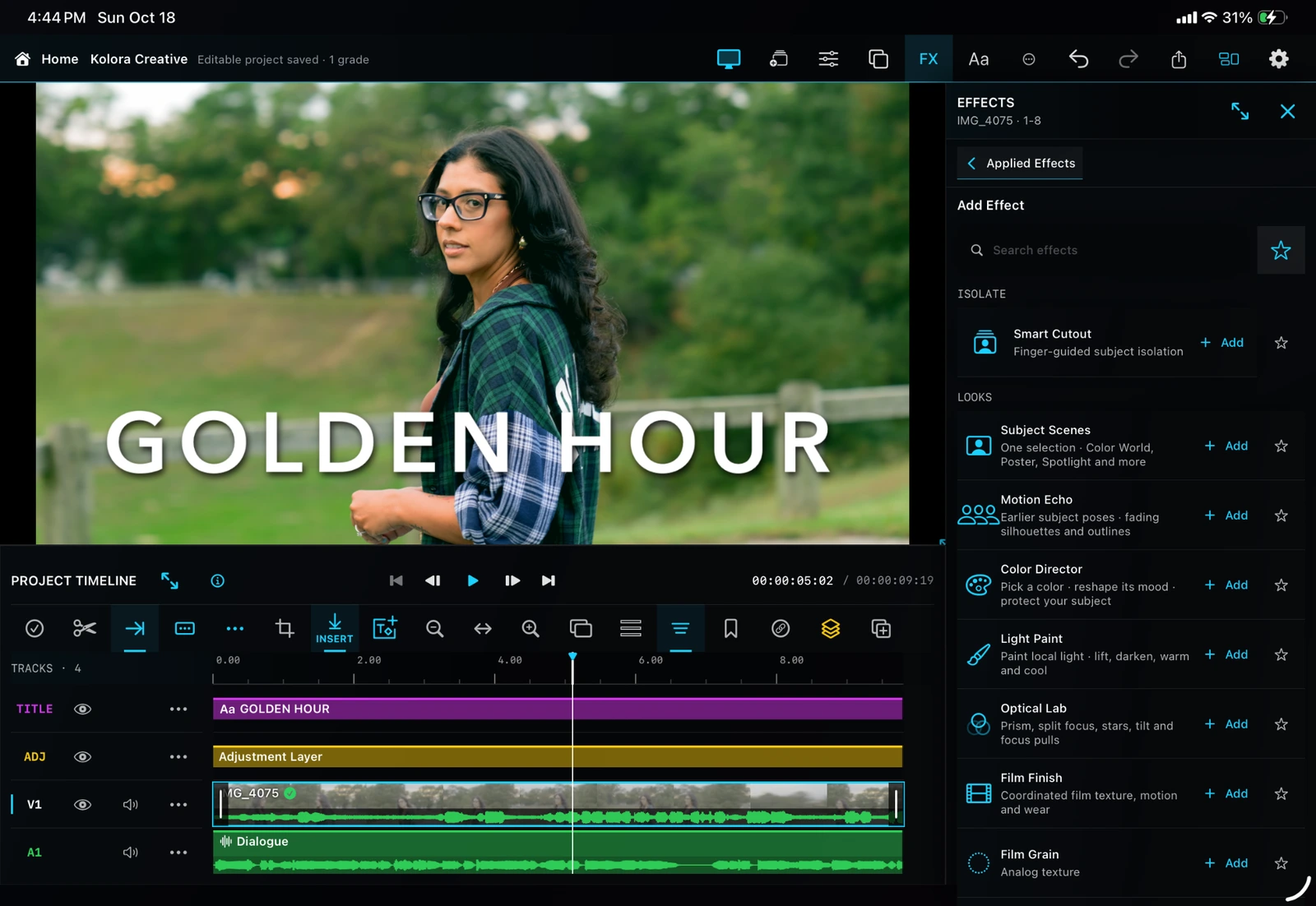
Your editing workspace
Viewer, layered timeline, color controls and scopes together.
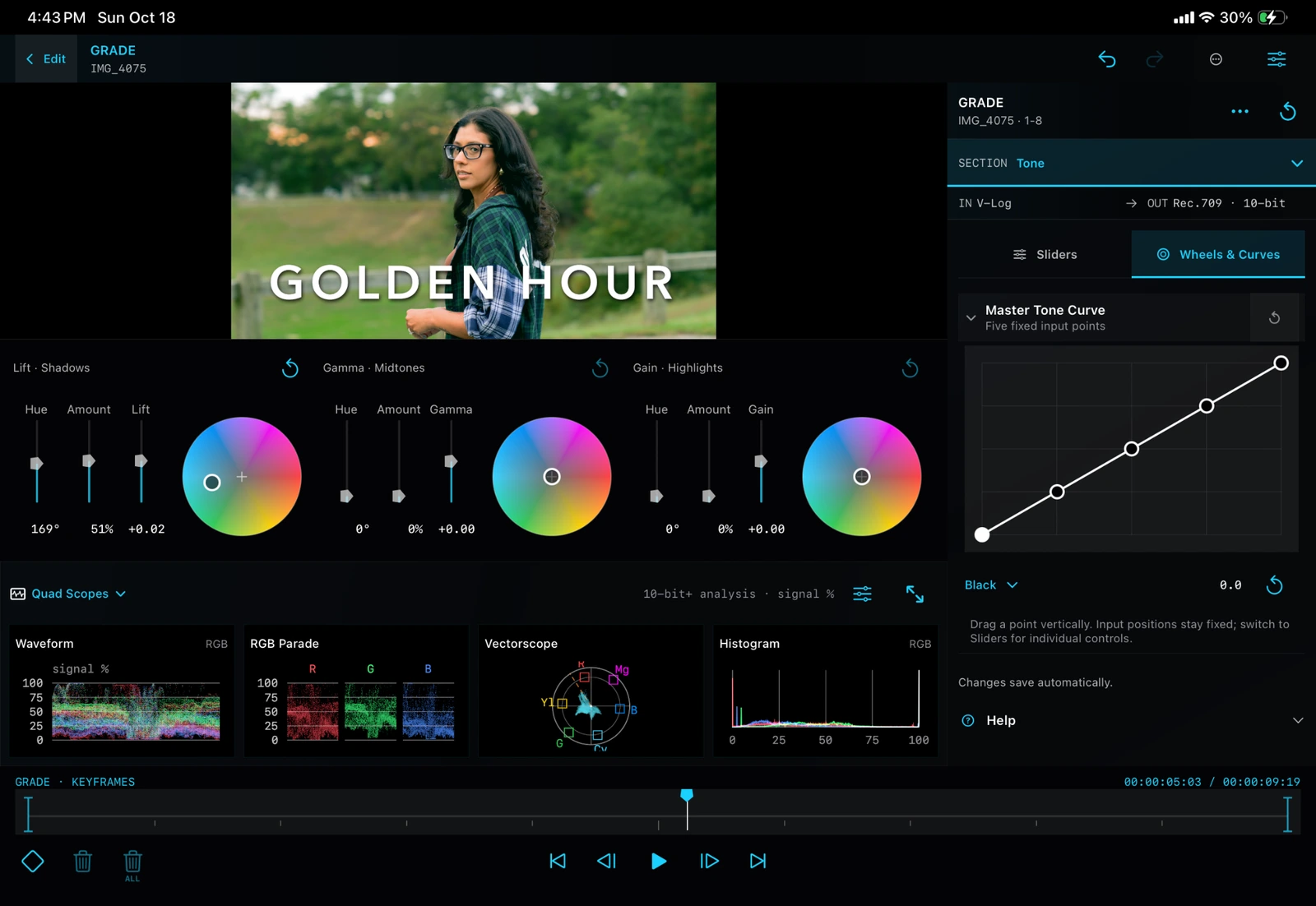
Color in detail
Three color wheels, tone curve and monitoring in an expanded view.
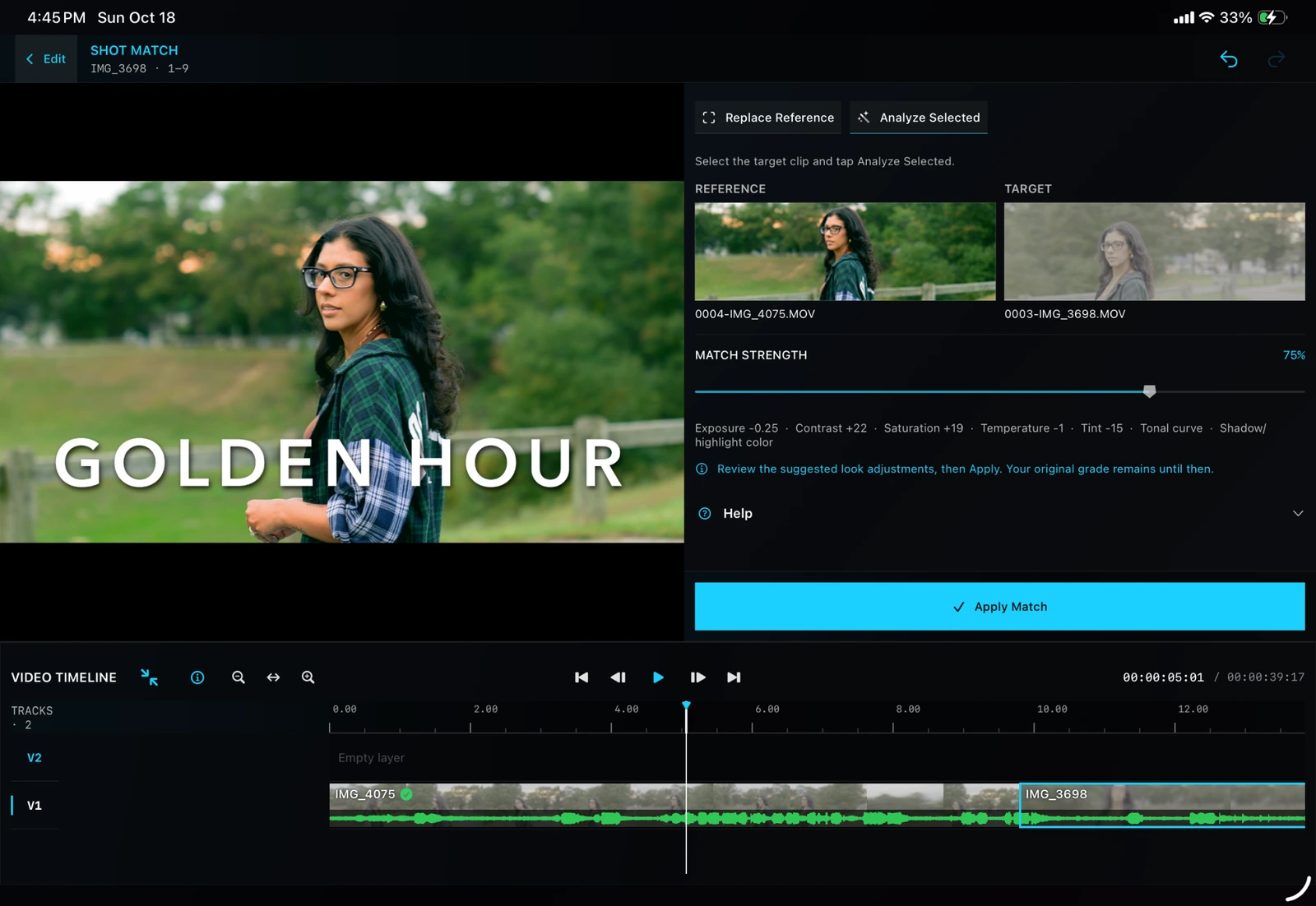
Shot Match
Compare reference and target frames, then choose the strength of the match.
Creative effects
Build and refine your treatment in the FX workspace.
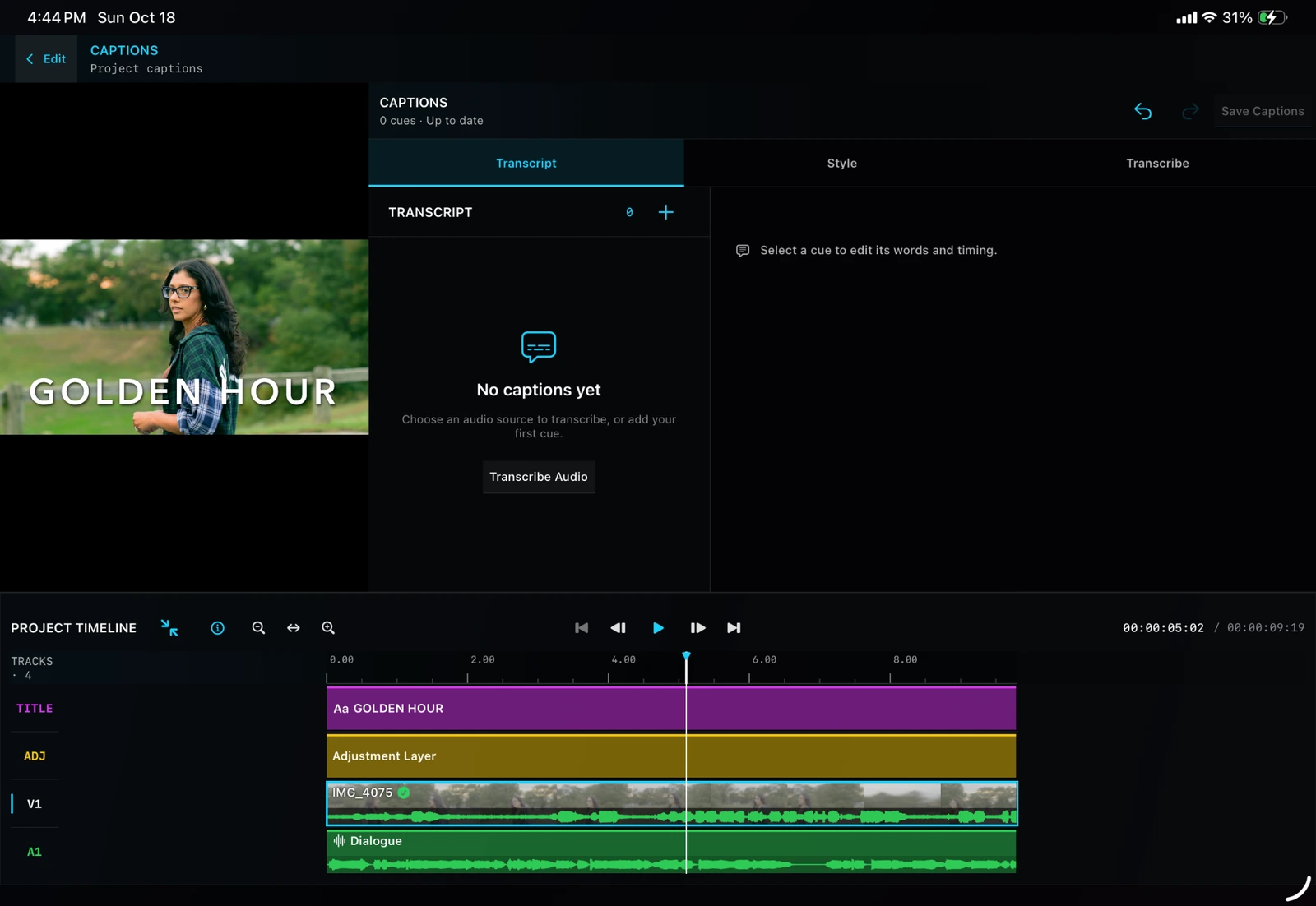
Captions
Bring spoken words into your edit with dedicated caption controls.
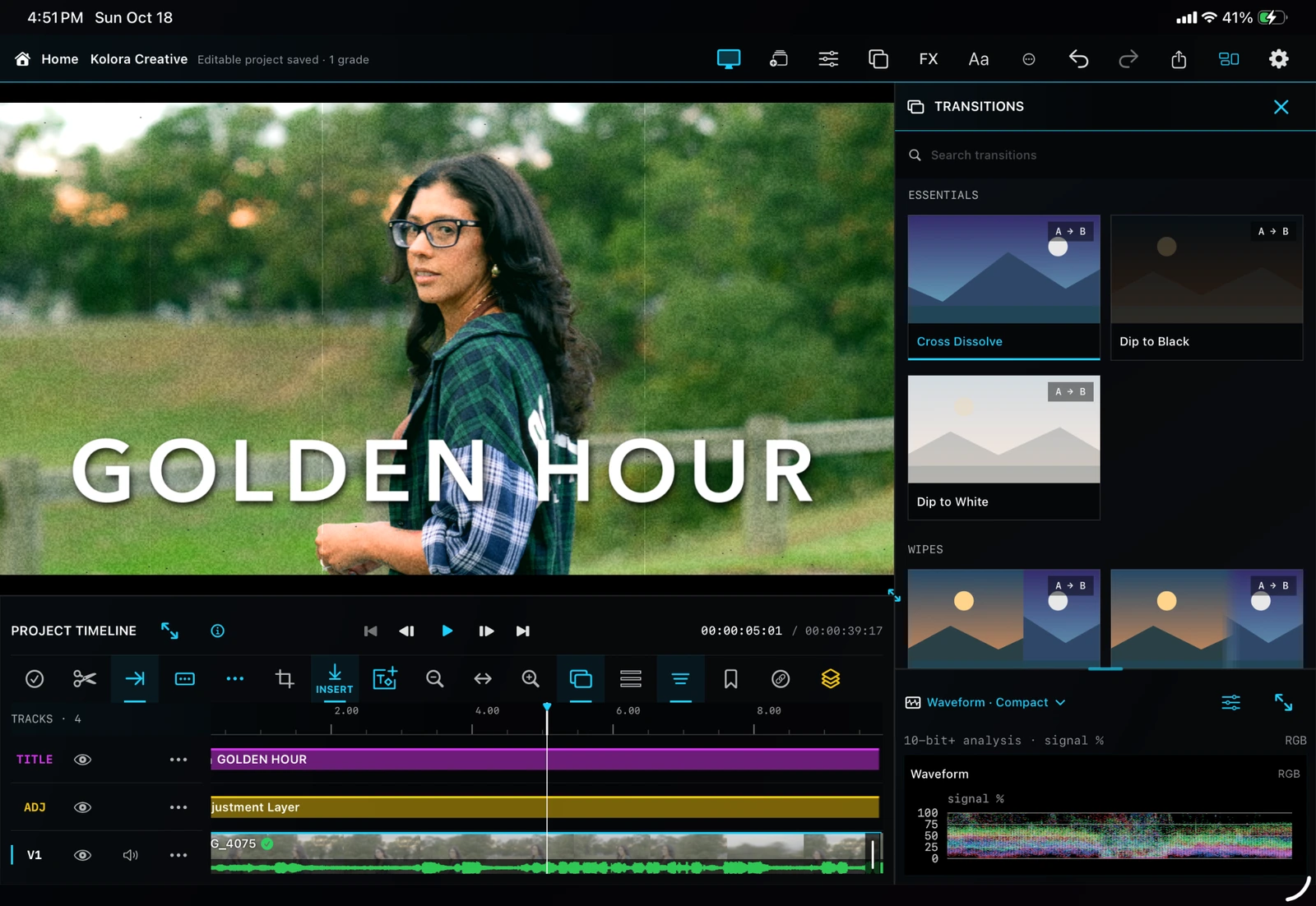
Transitions
Browse visual transition previews while keeping the cut in view.
Explore all 19 feature areas.
No matching feature areas. Try another search.
01 / Projects and project management
Keep your next idea close.
Create, duplicate and share editable projects. Save up to 50 named versions and restore a checkpoint as a new project.
Explore projects and project management
Create native, editable Kolora projects.
Import supported LumaFusion project packages for grading and round-trip work.
Home-screen project browser and project previews.
Automatic saving of edits and grades.
Rename and duplicate projects.
Project duplication with an independent edit while reusing source media.
Named Version History checkpoints.
Restore a saved version as a new project without overwriting the current project.
Delete individual saved versions.
Up to 50 named versions per project.
Export and share editable Kolora project packages with media.
Reopen projects on another compatible device.
Missing-media detection and relinking.
Undo and Redo across supported editing operations.
Confirmation and recovery handling for interrupted saves and imports.
A duplicate or saved version is not automatically an independent backup of every original media file.
02 / Media importing, browsing, and organization
Find the shot. Keep the flow.
Preview source ranges, organize reusable media and search visual labels with on-device Find Shots.
Explore media importing, browsing, and organization
Import video, audio, and still images.
Add media from Photos and Files.
Photos-linked media workflows.
Keep media offline when needed.
Project media bin.
Reusable imported-media library shared between projects.
Preview source media before inserting it.
Set source In and Out points.
Insert only the selected source range.
Insert at the playhead, before or after a selected clip, or append.
Drag media onto a compatible timeline track.
Search media.
Sort media.
Mark media as Favorite or Rejected.
Add custom keywords.
Filter by media type, favorite/rejected status, capture date, camera metadata, and color metadata.
Save searches and filters as reusable collections.
Find Shots: on-device analysis of source frames for searchable visual labels and matching moments.
Preview matching moments within a source.
Media information and compatibility reporting.
Indicators for media already used in the project.
Remove unused project-bin references without deleting the original source.
Supported media handling includes H.264, HEVC, supported ProRes variants, common audio formats, and still-image formats such as JPEG, PNG, HEIC, TIFF, and WebP. Actual decoding depends on the file and device; recognizing a codec does not guarantee that every variant is playable.
03 / Timeline editing
Make every cut count.
Five video and five audio tracks, precision edits, Attach to Shot and up to 20 alternatives per variation set.
Explore timeline editing
Five video tracks and five audio tracks, plus title and adjustment-layer support.
Mix video, photos, graphics, titles, and audio in a project.
Non-destructive clip trimming.
Split a selected clip at the playhead.
Split across timeline layers.
Move clips within and between compatible tracks.
Duplicate clips.
Replace source media.
Insert and ripple editing.
Lift deletion that leaves a gap.
Ripple deletion that closes the affected gap.
Slip editing.
Roll editing.
Slide editing.
Frame-accurate positioning and trimming.
Snapping to clip boundaries and the playhead.
Link and unlink compatible clips.
Detach audio for independent audio/video trimming.
J- and L-cut workflows using detached audio.
Track locking.
Sync Lock.
Video-track visibility controls.
Audio mute and solo controls.
Multi-select clips across tracks.
Select All and Clear Selection.
Move selected groups while retaining their relative timing.
Align a selection’s start to the playhead.
Nudge selections one frame earlier or later.
Batch mute, unmute, gain changes, and deletion.
Collision and locked-track protection.
Timeline markers with add, delete, previous, and next navigation.
Export In/Out markers.
Timeline zoom and fit controls.
Frame stepping and clip-boundary navigation.
Timeline filmstrips and audio waveforms.
Adjustable track presentation and hiding unused tracks.
Attach to Shot
Attach a supported clip to a video shot on another track.
Preserve the attached clip’s timing offset when the parent shot moves through supported editing operations.
Detach the relationship when independent timing is needed.
Kolora Variations
Keep alternative media takes at one timeline position.
Keep alternative title versions.
Keep alternative looks and FX treatments.
Preview alternatives without immediately changing the project.
Swipe through variations in the viewer.
Activate an option with Use This.
Up to 20 choices per variation set.
Only the active choice is used for normal playback and export.
Take variations currently have restrictions around retimed clips, transitions, and available source duration.
04 / Adjustment layers
One look. Across the scene.
Add, trim and stack adjustment layers to grade the underlying material together.
Explore adjustment layers
Add multiple adjustment layers.
Duplicate an adjustment layer.
Trim, move, and split adjustment clips.
Apply grading across underlying material.
Add a five-second adjustment at the playhead.
Match an adjustment’s length to the clip beneath the playhead.
Span the full timeline.
Reuse an existing compatible adjustment track when there is room.
Create another track when an overlap requires it.
Slim adjustment and title clip bars with comfortable touch targets.
Interactive viewer handles for supported framing operations.
Animated framing with keyframes.
Project-frame guides.
Anamorphic stretch presets: 1.33×, 1.5×, 1.6×, 1.8×, and 2×.
Speed and direction
Speed adjustment from 0.1× to 8×.
Quick speed presets.
Audio pitch preservation for supported forward-speed changes.
Frame Repeat slow motion.
Optical Flow slow motion on supported devices.
Reverse video.
Freeze Frame.
Restore motion after freezing.
Ripple retiming on the selected track or across tracks.
Apply/Cancel handling for speed changes.
Reverse is silent. Optical Flow requires a supported iPad with iPadOS 26 or later; prepared Optical Flow and reverse renders have resolution and temporary-size limits.
06 / Color grading
Color with intent.
Wheels, curves, selective stages, tracked masks, Smart Person Masks and Shot Match.
Explore color grading
Primary adjustments
Exposure.
Contrast.
Black level.
Saturation.
Vibrance.
Temperature.
Tint.
White-balance eyedropper.
Lift, Gamma, and Gain.
Three color wheels for shadows, midtones, and highlights.
Hue and color amount for each wheel.
Slider and visual-wheel control layouts.
Individual-control and section resets.
Curves
Master tone curve.
Combined RGB curve.
Separate Red, Green, and Blue curves.
Hue versus Hue.
Hue versus Saturation.
Hue versus Luma.
Saturation versus Saturation.
Luma versus Saturation.
The curve editor uses fixed input positions with adjustable output values.
Selective color stack
Organized stages for Input CST, Balance, Subject/Skin, Background, Look, and Output.
Enable or bypass correction stages.
Reorder supported correction stages.
Local exposure and saturation adjustments.
Hue qualifiers with range and softness.
Elliptical and rectangular masks.
Mask position, size, feathering, and inversion.
Forward and backward mask tracking.
Manual tracking corrections.
Prepared Smart Person Masks.
Inverted person selections for background adjustments.
Grading workflow
Live viewer feedback.
Before/After comparison.
Grade keyframes for supported adjustments.
Keyframed LUT strength.
Copy and paste grades.
Apply an input CST to multiple clips.
Grade individual clips or adjustment layers.
Shot Match using reference and target frames.
Adjustable Shot Match strength.
Apply Match with Undo support.
07 / Color management and LUTs
Start right. Finish deliberately.
Camera log transforms, creative LUTs, reusable grades and supported SDR and HDR outputs.
Explore color management and luts
Input color-space transforms
Rec.709 / no input CST.
Apple Log / BT.2020.
ARRI LogC4 / ARRI Wide Gamut 4.
ARRI LogC3 EI800 / ARRI Wide Gamut 3.
Sony S-Log3 / S-Gamut3.Cine.
Sony S-Log3 / S-Gamut3.
Panasonic V-Log / V-Gamut.
Canon Log 2 / Cinema Gamut.
Canon Log 3 / Cinema Gamut.
RED Log3G10 / REDWideGamutRGB.
Blackmagic Film Gen 5 / Wide Gamut Gen 5.
These are color transforms—not a claim of native decoding for every camera’s RAW format.
Output color options
Rec.709 8-bit SDR.
Rec.709 10-bit SDR.
Rec.2020 HLG 10-bit.
Rec.2020 PQ / HDR10.
P3-D65 HLG 10-bit.
Smooth Highlights and legacy SDR rendering options.
LUTs and Grade Gallery
Import creative .cube LUTs.
Manage a creative LUT library.
Adjust LUT intensity.
Save reusable grades.
Import .koloragrade files.
Optional grade preview images.
Choose whether applying a saved grade includes its input CST.
Apply and remove a saved grade through its toggle behavior.
Delete gallery items without removing grades already applied to projects.
Reuse saved grades between projects.
08 / Living Looks
A look that lives with your story.
Combine color, texture and diffusion in reusable Living Looks recipes, then save your own.
Explore living looks
Reusable recipes combining color grading and supported finishing effects.
Live preview while adjusting the recipe.
Apply to keep the result.
Cancel to restore the previous applied look.
Color Style control.
Texture control.
Diffusion control.
Optional optical components.
Optional SDR normalization against a saved source profile.
Living Looks exclude shot-specific material such as tracking, painted masks, selective stages, and subject-dependent effects. Normalization is SDR-only.
09 / Video scopes
See the image clearly.
Waveform, RGB Parade, Vectorscope and Histogram in single, dual and quad layouts.
Explore video scopes
Waveform.
RGB Parade.
Vectorscope.
Histogram.
Single-, dual-, and quad-scope layouts.
Luma, RGB, and Combined display options where applicable.
SDR signal-percentage scales.
PQ nits and HLG-relative scales.
Compact, expanded, and larger scope presentations.
Scopes that remain available while changing grading sections.
Analysis of the displayed composite.
10 / Complete FX library — 22 entries
Make the image your own.
22 effects, from Smart Cutout, Subject Scenes and Light Paint to Optical Lab, Film Finish and tracked obscuring.
Explore complete fx library — 22 entries
Smart Cutout — Person/Object selection, tap and brush guidance, Select/Exclude tools, seed and correction frames, selection overlay, edge softness, foreground or background removal, and prepared masks.
Subject Scenes — Color World, Poster, Spotlight, Behind the Subject text, and Background Swap through lower tracks. Includes subject/background color shaping, gradients, outlines, and editable typography.
Motion Echo — Trails based on the subject’s earlier prepared silhouettes; adjustable echo count, spacing, fade, opacity, colors, and outline treatment. Includes Electric Cyan and Neon Outline looks.
Color Director — Sample a color from the graded viewer, change its hue, depth, saturation, range, softness, and strength; protect skin-like hues and use prepared subject selections.
Light Paint — Paint local brightening, darkening, warming, cooling, tint, and saturation. Three independently adjustable painted regions, erase, softness, highlight protection, and Show/Hide Area.
Optical Lab — Prism/Glass, Split Diopter Look, Streak/Star Filter, Tilt Focus, and Focus Pull A→B, with viewer placement handles and mode-specific controls.
Film Finish — Independently adjustable grain, halation, glow, gate weave, exposure flicker, dust, and scratches, plus coordinated presets.
Film Grain — Standalone adjustable analog grain, including Fine 35mm, Classic 16mm, and Coarse 8mm treatments.
Important distinctions: Light Paint is local color/light shaping, not reconstructed 3D lighting. Motion Echo uses earlier masks rather than full photographic copies. Transform Motion Blur is not optical-flow analysis of movement inside the footage. Tracked obscuring should be reviewed before publishing sensitive footage.
11 / Complete transition library — 79 transitions
Find the right way into the next shot.
79 categorized transitions with animated previews, direction and duration controls.
Stem export includes relevant clip and track processing but excludes master processing. The limiter is sample-peak based; the true-peak meter does not make it a guaranteed true-peak limiter.
16 / Keyframes and reusable attributes
Carry your motion forward.
Dedicated animation timelines and compatible attribute and keyframe transfer between clips.
Explore keyframes and reusable attributes
Keyframes for supported title, framing, grading, audio, and FX controls.
Add and delete individual keyframes.
Clear supported keyframe sets.
Previous/next keyframe navigation.
Dedicated animation timelines.
Copy/paste color-grade attributes.
Copy/paste framing attributes.
Copy/paste basic audio attributes.
Copy/paste title, grade, framing, and supported FX keyframes.
Transfer compatible motion between titles, video, photos, and graphics.
Keep original motion timing or fit it to the destination duration where supported.
Not every setting is animatable: CST selection, curve shapes, LUT choice, and certain other controls remain clip-wide.
17 / Viewer and interface
Make room for the way you work.
Resizable panels, expanded editors, full-screen viewing and direct touch manipulation.
Explore viewer and interface
Regular editing workspace.
Expanded editors.
Full-screen viewer.
Playback controls in full-screen viewing.
Undo/Redo in supported expanded editors.
Direct manipulation of titles, graphics, and supported effect controls.
Resizable workspace panels.
Balanced, Larger Viewer, Larger Timeline, and Larger Controls layouts.
Expanded timeline view.
Viewer zoom and framing guides.
Persistent grading scopes.
Contextual Help sections.
Touch-friendly control targets.
Compact Kolora keyboard with an option to use the Apple keyboard.
Keyboard Undo/Redo shortcuts.
18 / Playback, caching, and storage
Keep the workspace moving.
Preview quality, playback proxies, cache retention and shared-media storage management.
Explore playback, caching, and storage
Auto, Full, Half, and Quarter preview-quality options.
Adaptive playback preparation.
Background preparation of eligible media.
Playback proxies.
Color-aware preview preparation.
Cached timeline thumbnails and filmstrips.
Reused source-level waveform data.
Prioritized preparation of nearby and visible still images.
Memory-bounded media preparation.
Playback-cache retention choices: 7 days, 30 days, 90 days, or Until Cleared.
Last-used retention tracking.
Automatic idle cleanup.
Low-storage and cache-budget safeguards.
Manual playback-cache clearing.
Storage usage reporting.
Management of projects, imported media, exports, and temporary files.
Shared-media usage warnings before deletion.
Shared-storage optimization to consolidate duplicate media.
Local trash management.
Cache cleanup targets rebuildable previews and proxies—not original footage, project edits, or saved cutout masks. “Until Cleared” still allows emergency budget or low-storage cleanup.
19 / Export and delivery
Finish it. Share it. Keep creating.
H.264, HEVC and supported ProRes exports, SDR/HDR, audio stems, SRT and editable project packages.
8-bit or 10-bit encoding as supported by the codec.
Web-friendly, standard, and high-quality bitrate presets.
100 Mbps and 150 Mbps presets.
Custom bitrate controls.
Average-target and supported constant-bitrate modes.
Include or omit audio.
Export the whole timeline or a marked range.
Progress and cancellation.
Save to Photos.
Save to Files or share.
Editable project-package export.
Role-based audio stems.
SRT caption export.
Resolution, codec, HDR, and bitrate combinations depend on the device and encoder. The resolution menu is not a promise that every iPad can export every format at 8K.
Made for your next project
Bring your footage. Make it yours.
Join the Kolora beta and help shape what comes next.