Build and finish here.
Work across five video and five audio layers, plus dedicated Looks and Title layers. Edit, grade, transform, add effects, animate with keyframes and render the finished film.
Edit→Grade→Finish→Deliver
Kolora for iPad · Video editing. Color grading. Finishing.
Cut the story. Shape its color. Make it move.
Video, audio, titles, graphics and effects in one iPad workspace.
Multilayer editing · Precision color · Motion & graphics · Sound · Delivery
Choose your workflow
Work across five video and five audio layers, plus dedicated Looks and Title layers. Edit, grade, transform, add effects, animate with keyframes and render the finished film.
Open a supported project package with its timeline locked, complete the color work in Kolora, then return to the editor without reconstructing the project.
Private by design
Kolora processes your projects and media directly on your iPad. Your footage is not uploaded to servers operated by Kolora Creative LLC.
Read the Privacy Policy →Imported media, project data and color adjustments are handled inside the app sandbox.
Open Kolora and work without creating a Kolora profile or cloud library.
Kolora does not use third-party advertising or cross-app tracking technology.
Explore the workspace
Bring in video, stills, audio and graphics from Photos or Files.
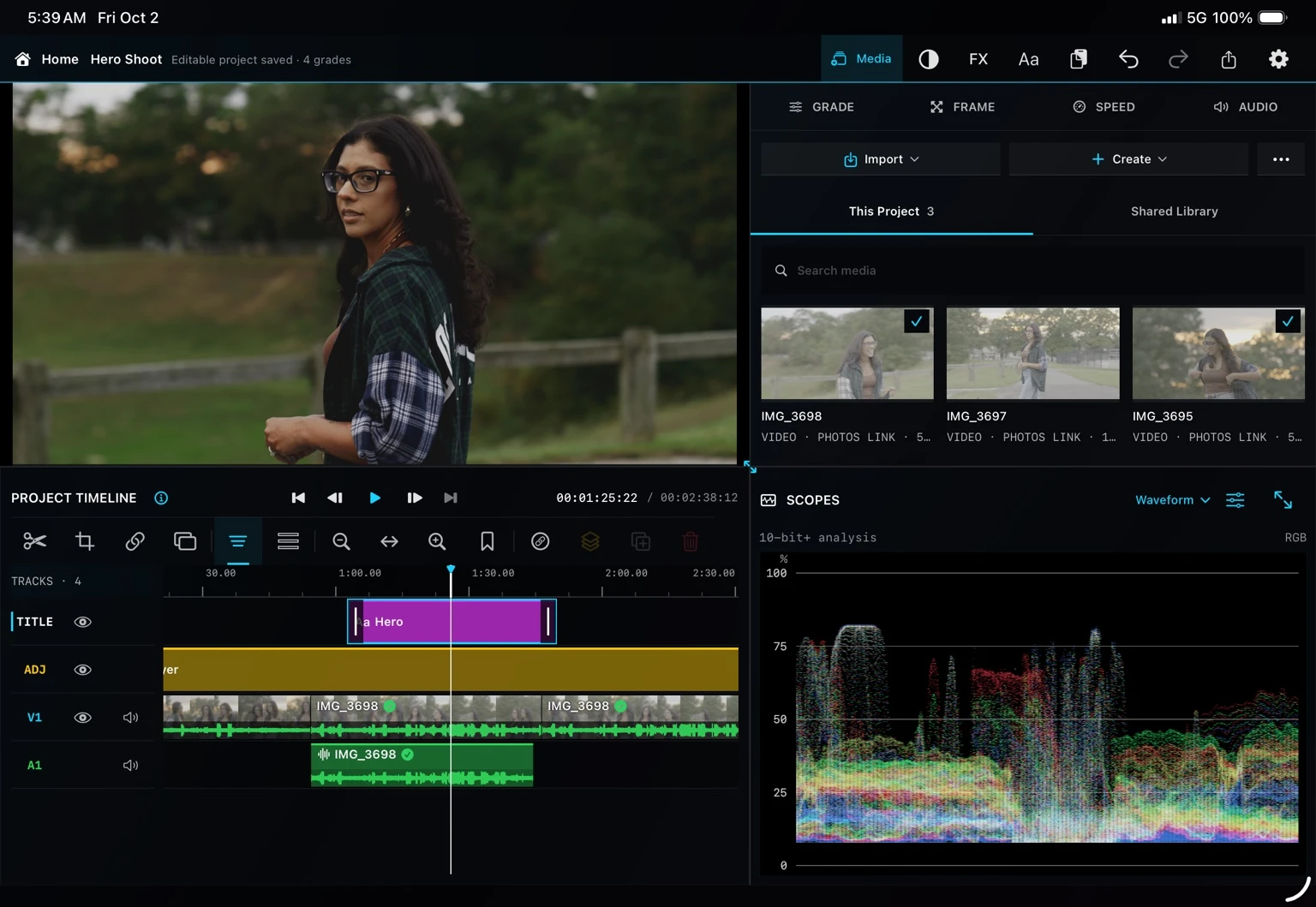
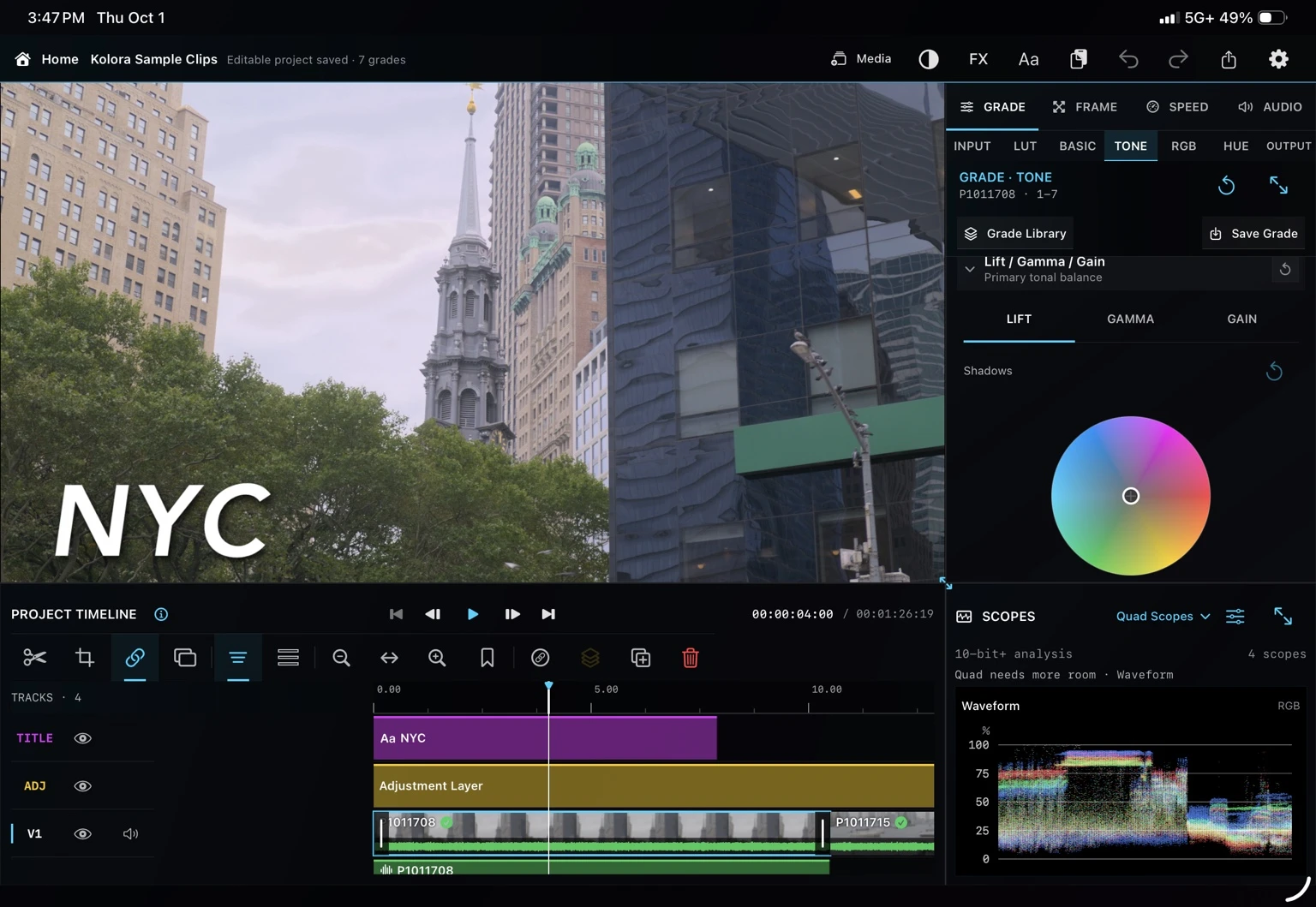
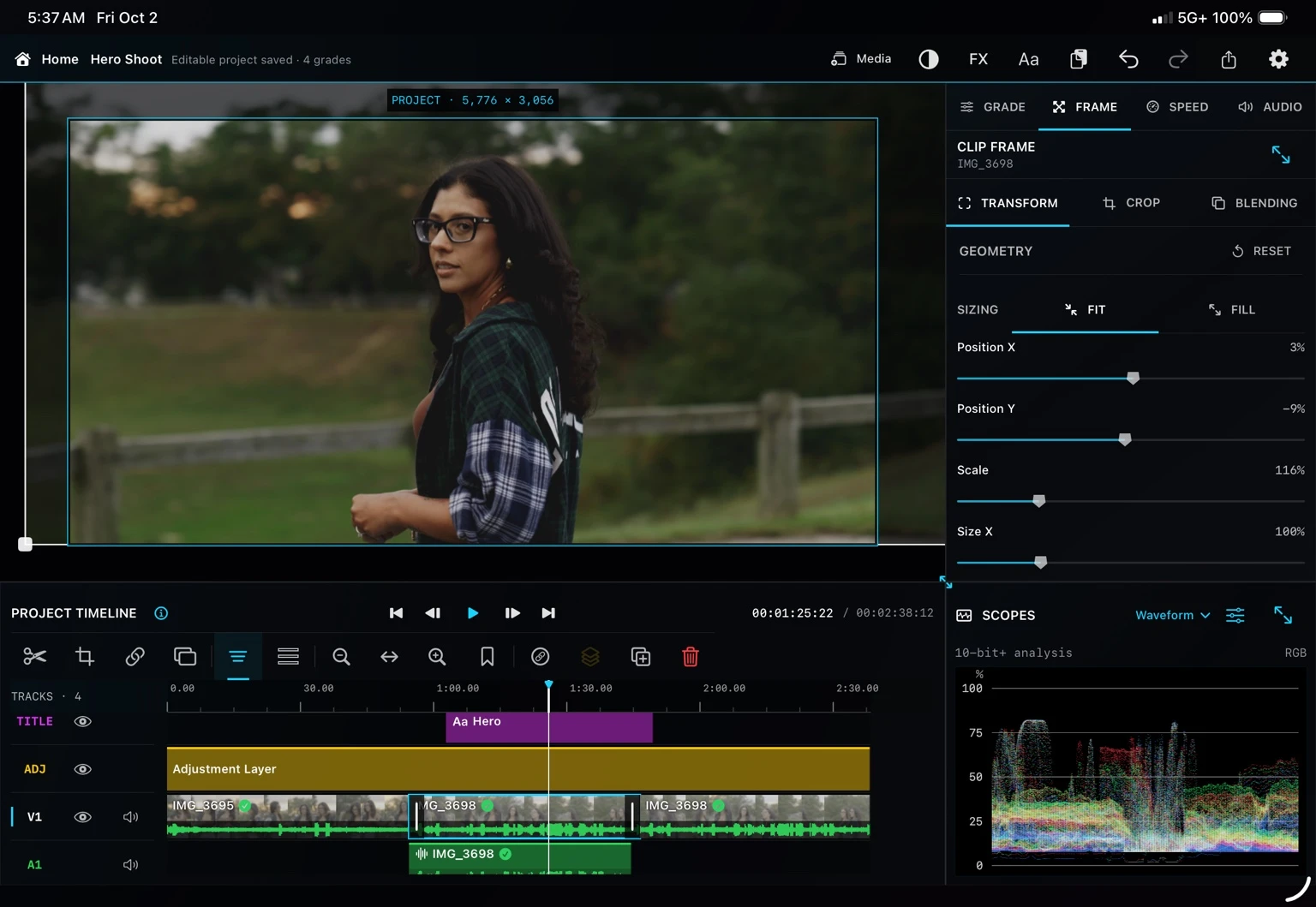
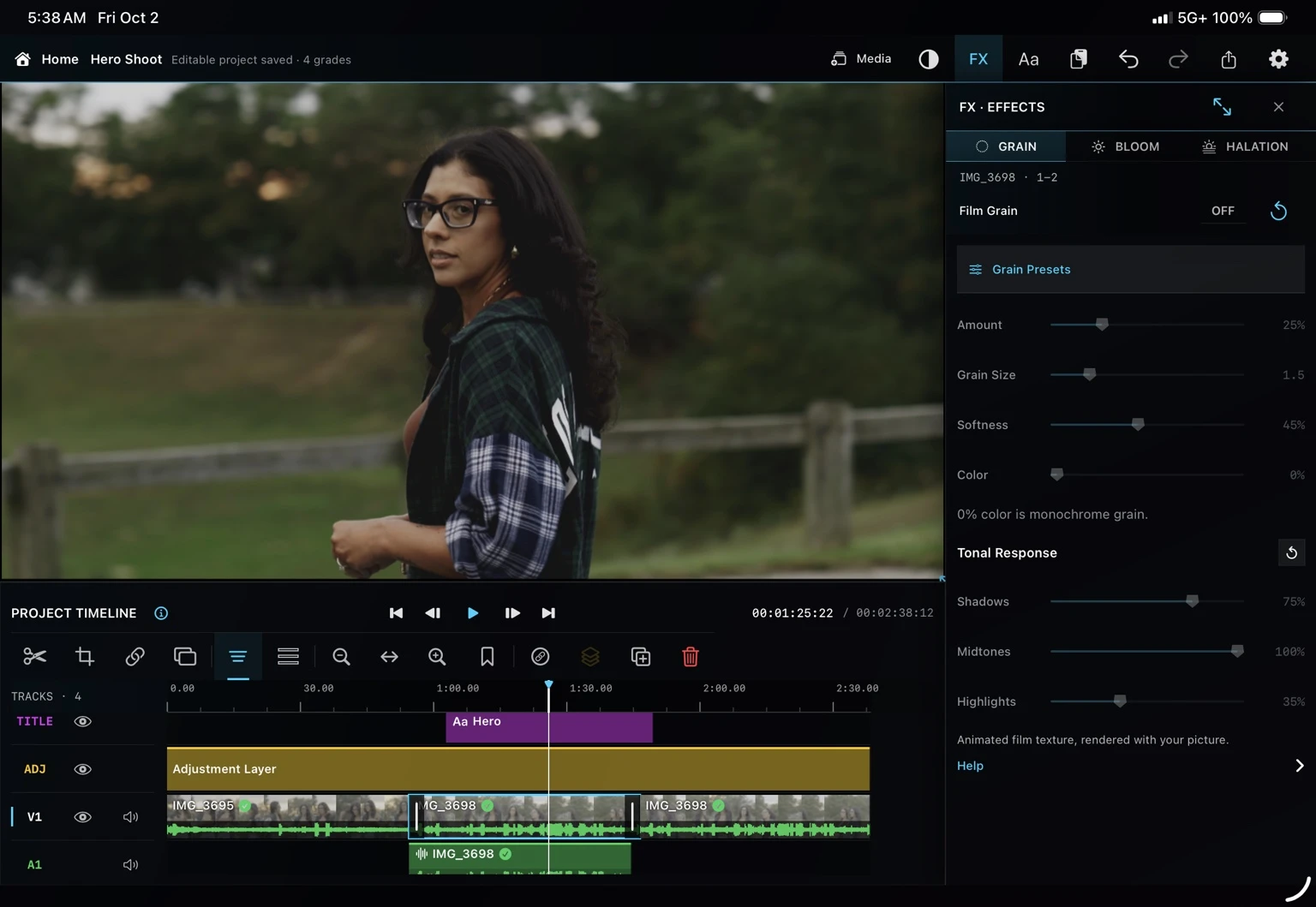
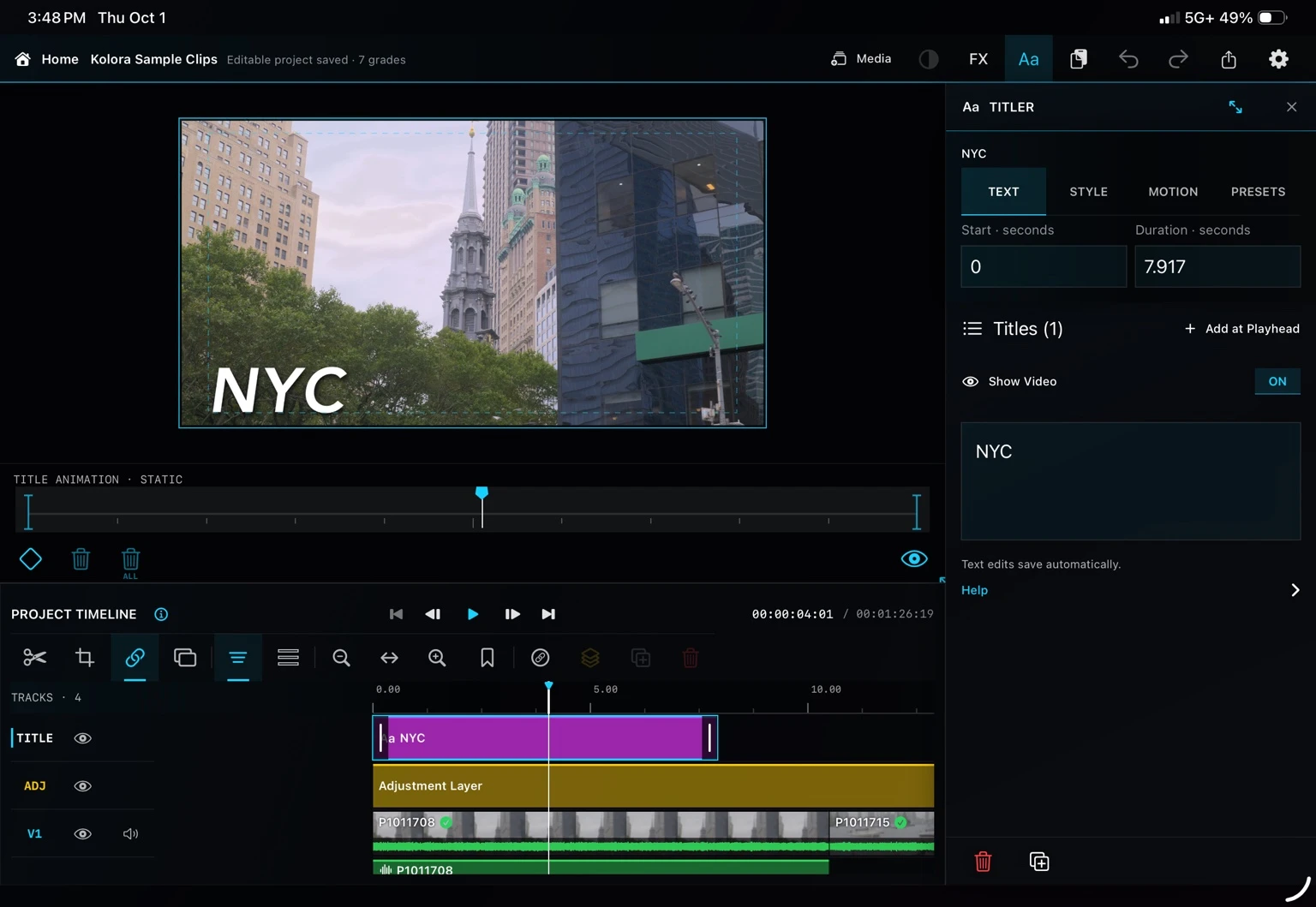
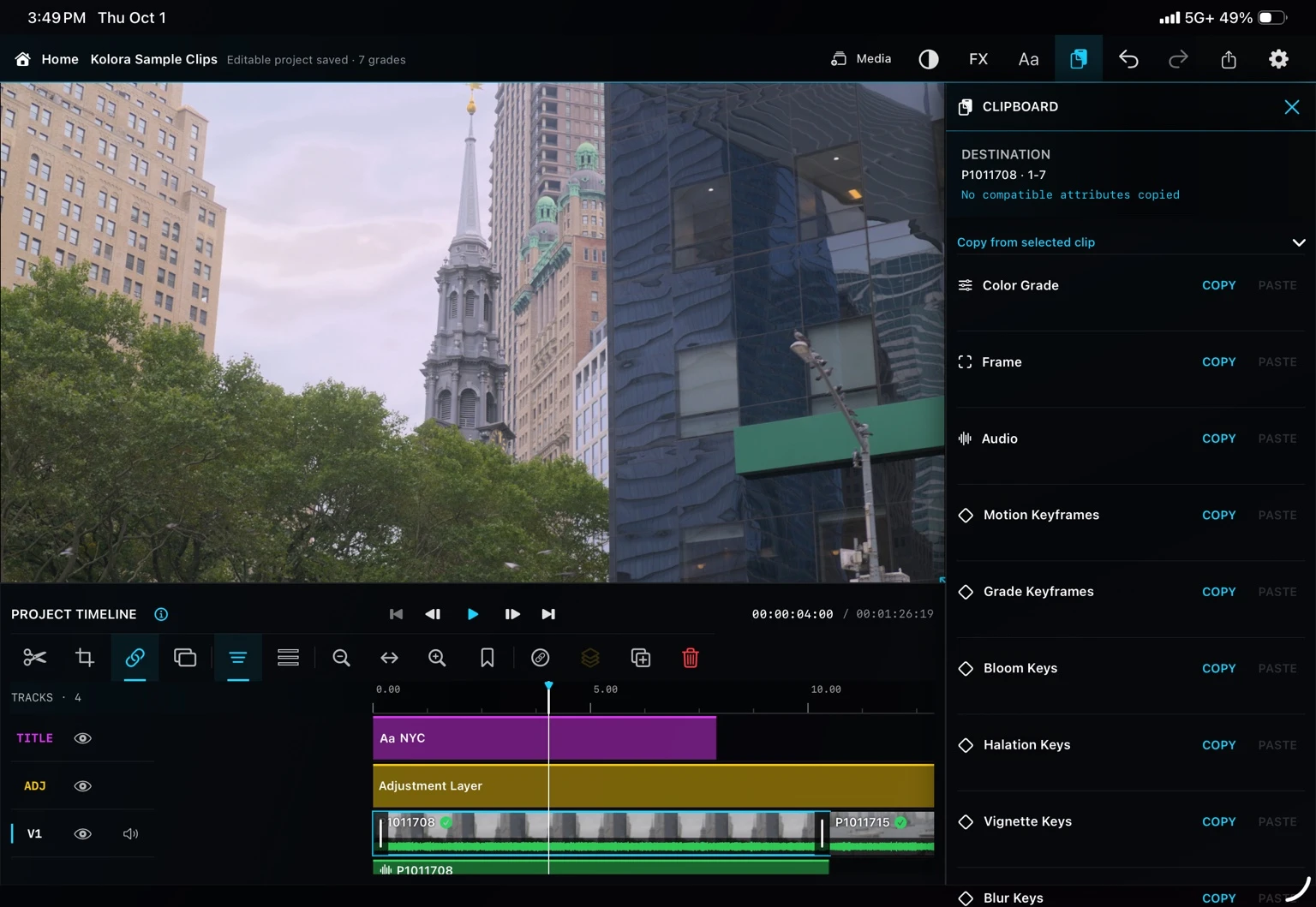
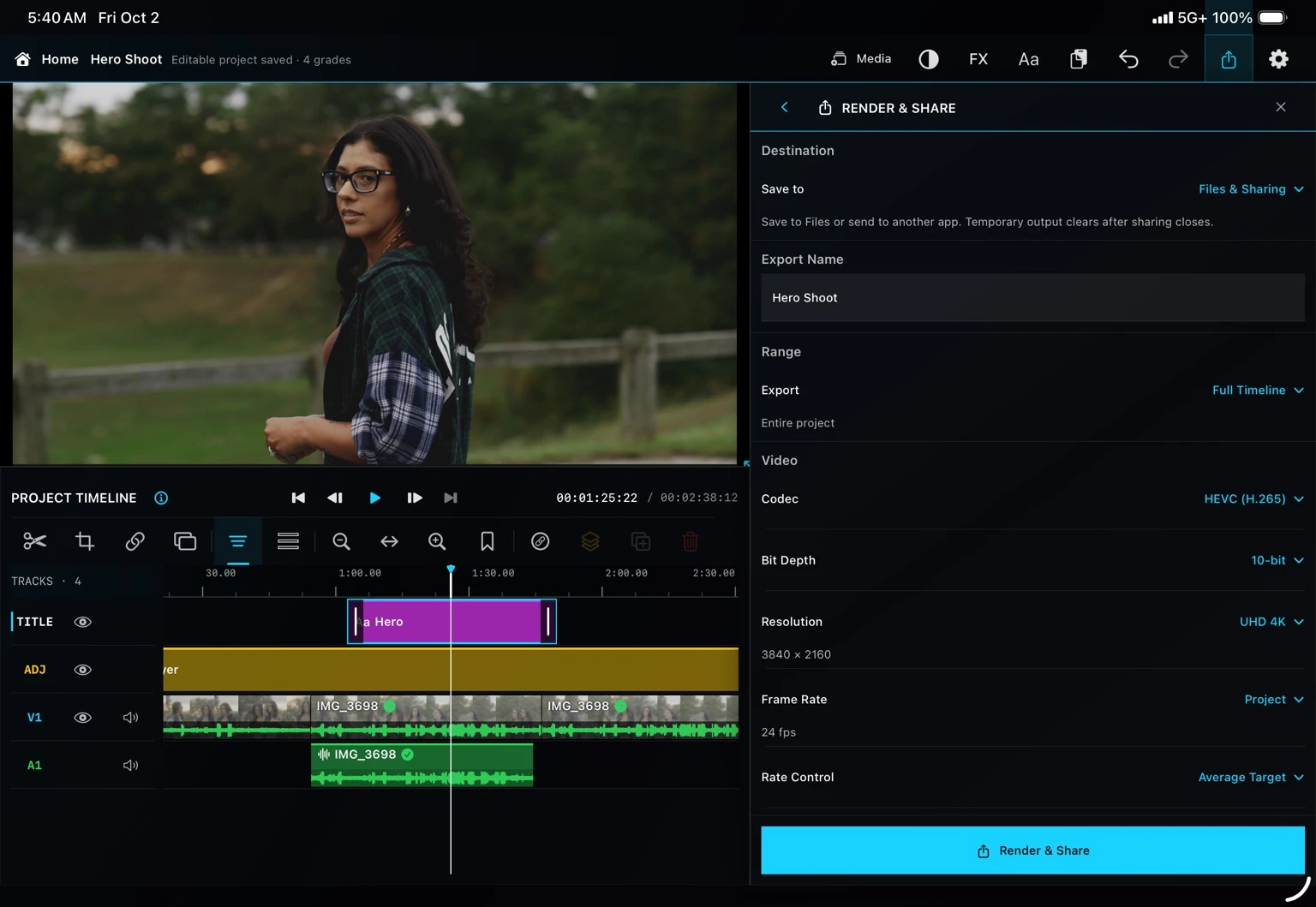
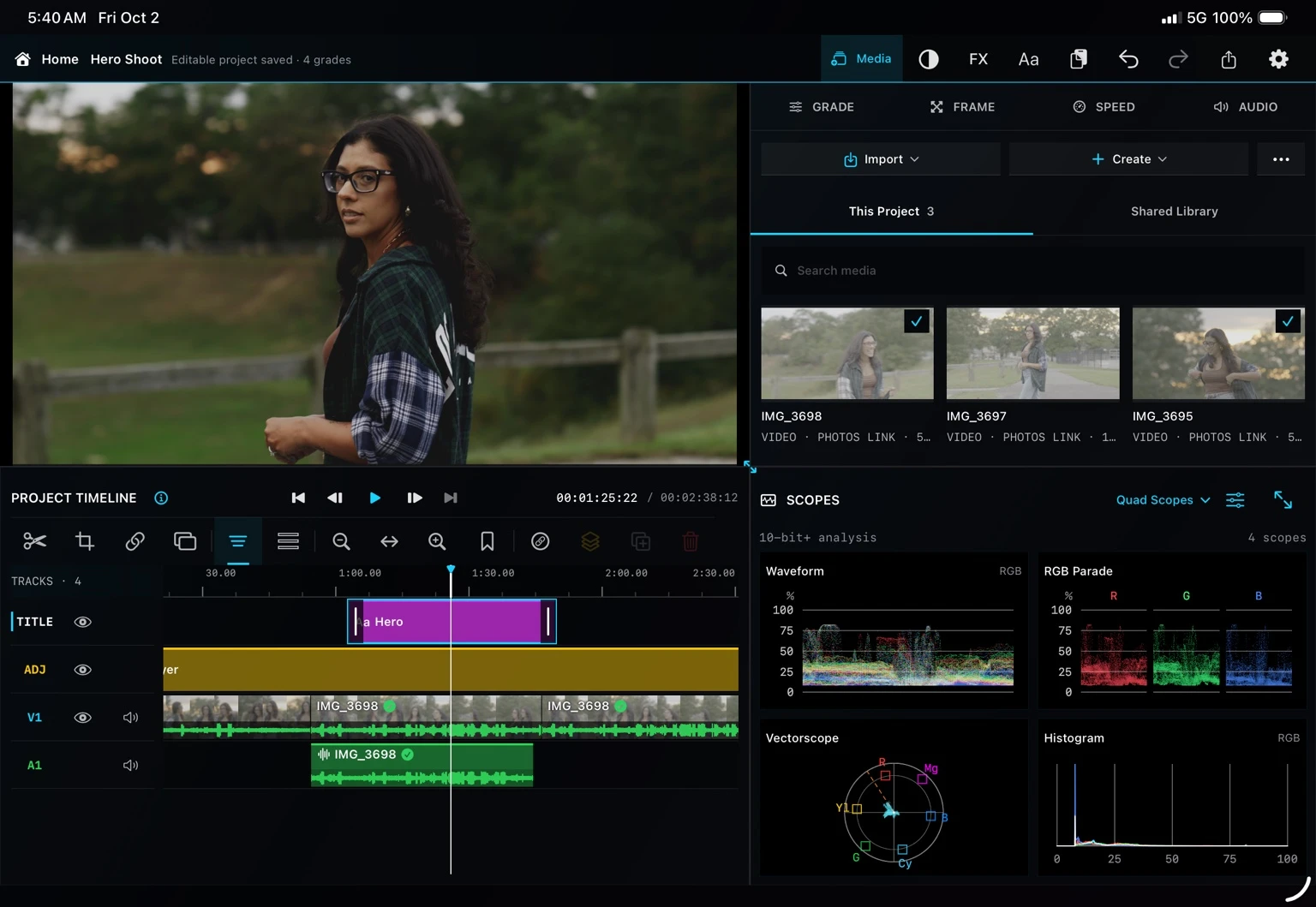
Actual Kolora screenshots. Interface shown from the current development build.
Professional depth. Clear structure.
Keep the timeline, grading controls and four scopes in view together: waveform, RGB parade, vectorscope and histogram.
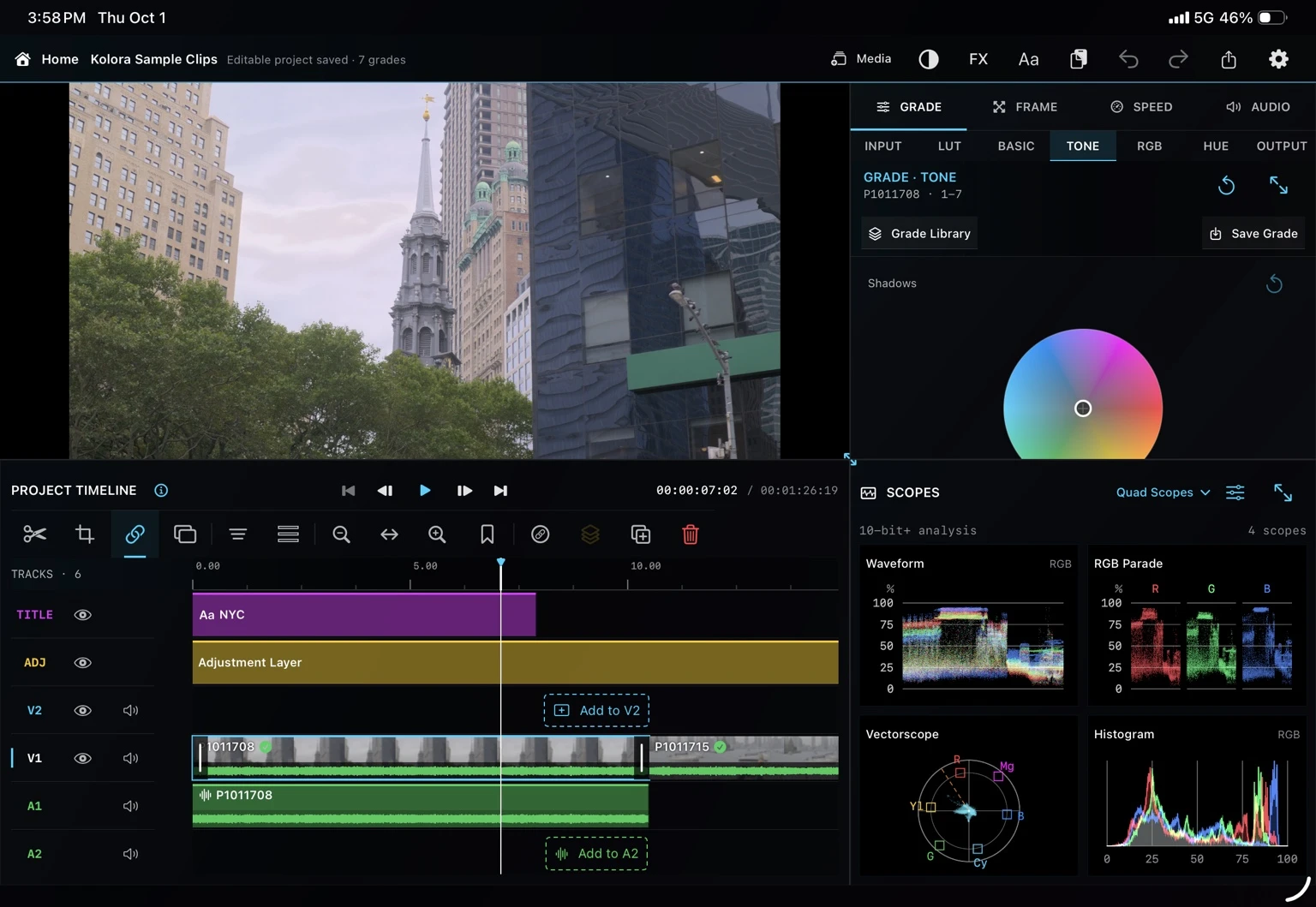
Read the image while you shape it. Choose waveform, RGB parade, vectorscope or histogram to monitor your grade.
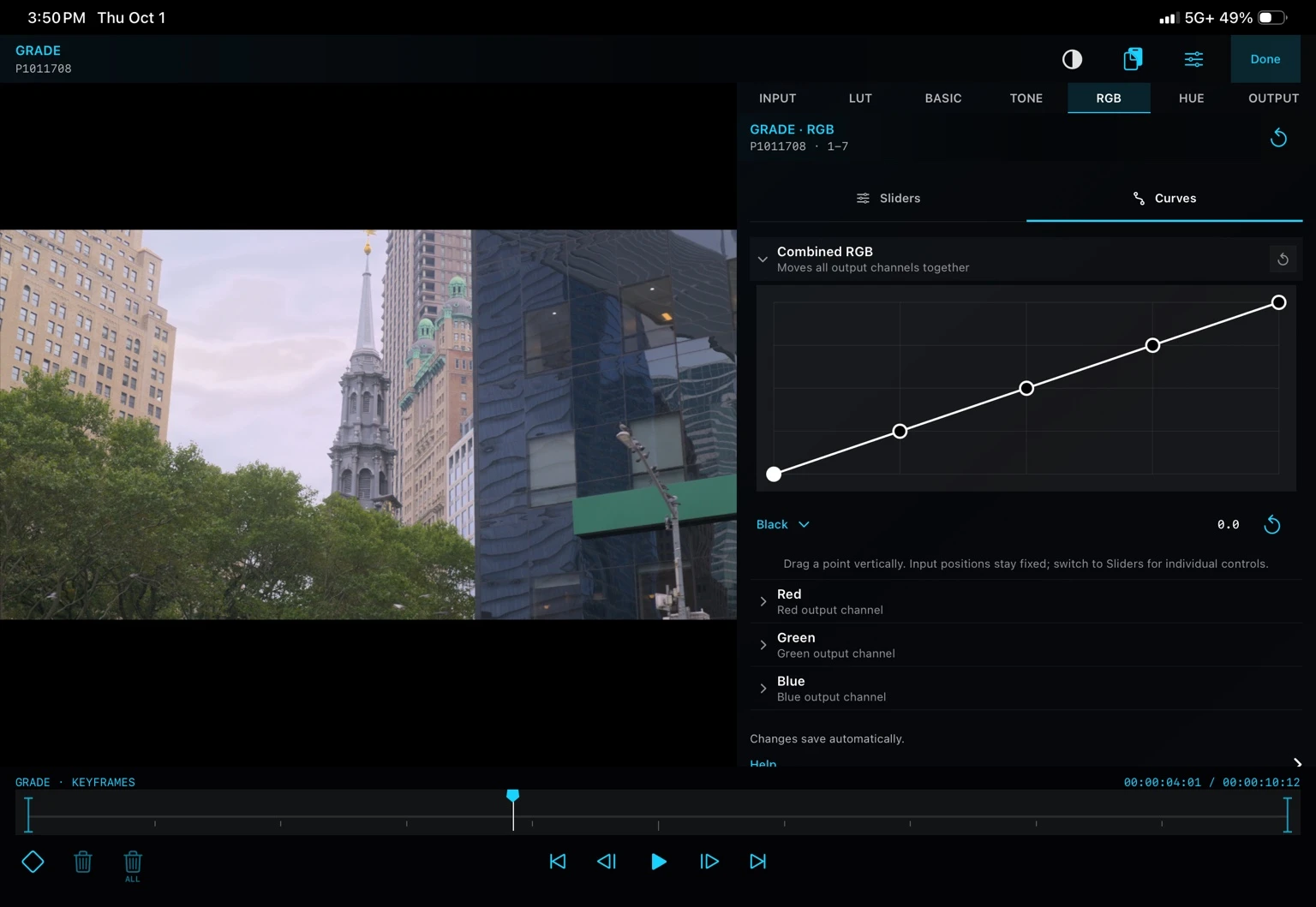
Work with input color spaces, LUTs, primary controls, wheels, tone curves, RGB channels and five targeted hue curves.
A complete creative workflow
Five video and five audio tracks, plus dedicated Title and Looks tracks. From precise edits to a finished film, the tools work together.
Trim, split, replace, ripple-delete and refine with Slip, Roll and Slide. Link clips across tracks and set named markers.
Explore toolsExplore wipes, dissolves, motion, light, blur and stylized transitions. Set the direction and duration for the cut.
Explore toolsStart with a creative look, import a .cube LUT or build your own grade with wheels, curves and camera log transforms.
Explore toolsCombine text reveals with motion. Build transparent graphics from up to 32 editable shapes, pictograms and text elements.
Explore toolsEdit gain envelopes on the waveform, mix tracks, solo and mute, then shape fades and independent audio crossfades.
Explore toolsRetime supported clips from 0.1× to 8×, preserve forward audio pitch or reverse footage with explicit ripple choices.
Explore toolsChoose H.264, HEVC or supported ProRes profiles, with 8/10-bit options and resolution presets up to 8K where supported.
Explore toolsPackage the timeline and original project-bin media in a .koloraproject file, then continue on another iPad.
Explore toolsExport format, resolution, HDR and bit-depth combinations depend on your iPad, source media and available encoders.
See the complete feature list →Designed for touch
Kolora is organized around direct, precise interaction. The controls stay readable. The image stays large. Your hands stay in the grade.
Native or round-trip
Create a new timeline, preview a saved project, or open a supported project package with Browse Files. Project Home keeps your gallery, previews and Media Management together.
Explore media and storage controls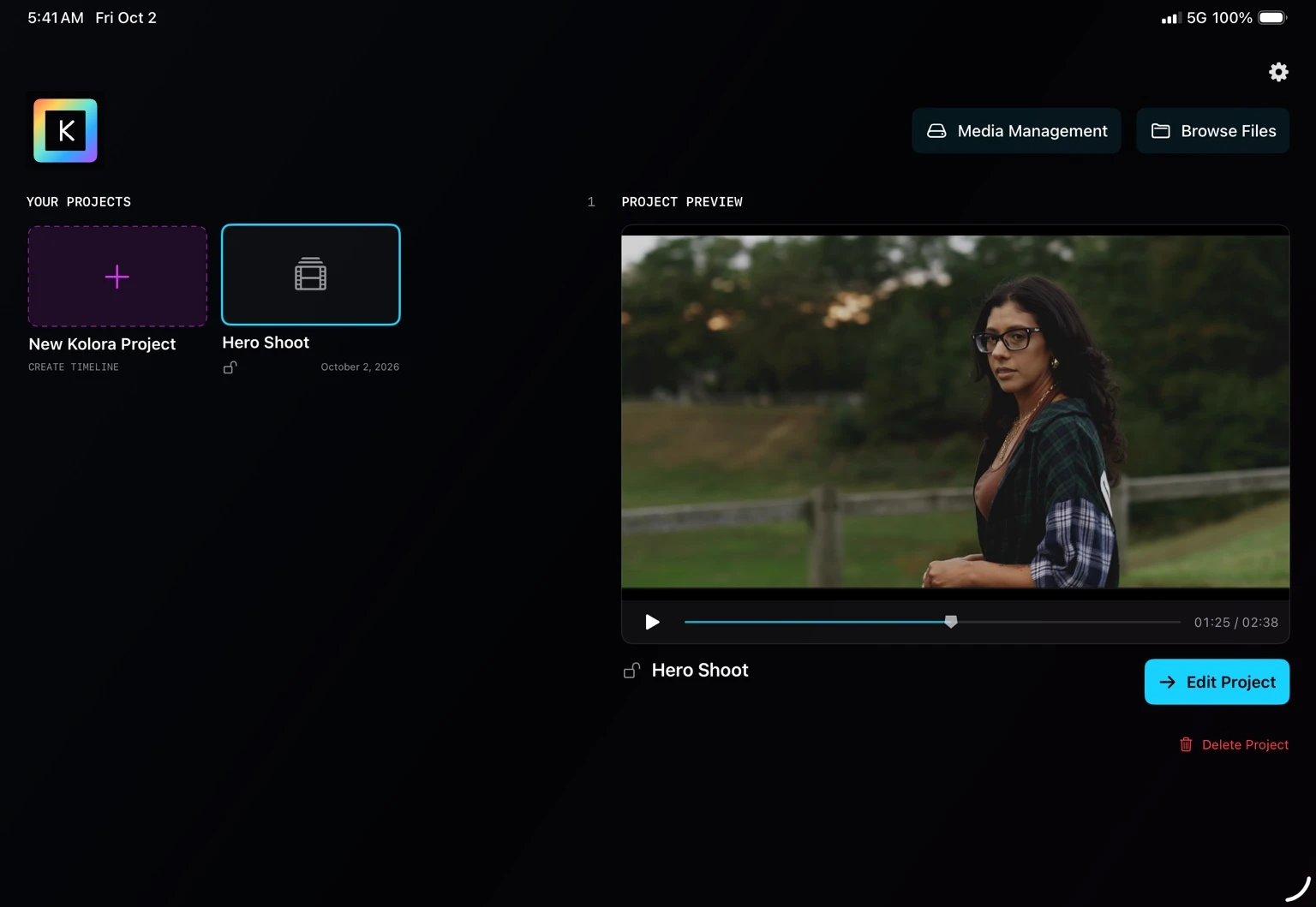
Questions, answered
Yes. Native Kolora projects support five video and five audio layers plus dedicated Looks and Title layers. You can import and arrange media, refine timing, grade, transform, add effects and titles, animate with keyframes and export the finished project.
Yes. Open a supported project package exported or shared from a compatible editor. That imported timeline remains locked for a safe grading round trip; create a native Kolora project when you want an editable timeline.
Kolora can import video and still images from Photos, Files, on-device storage or a connected drive. Kolora requires iPadOS 17 or later. Cloud-hosted originals may need downloading before use.
Kolora provides controls for the export range, codec, bit depth, resolution, frame rate, bitrate and output color space. Available choices can depend on the project, device and release.
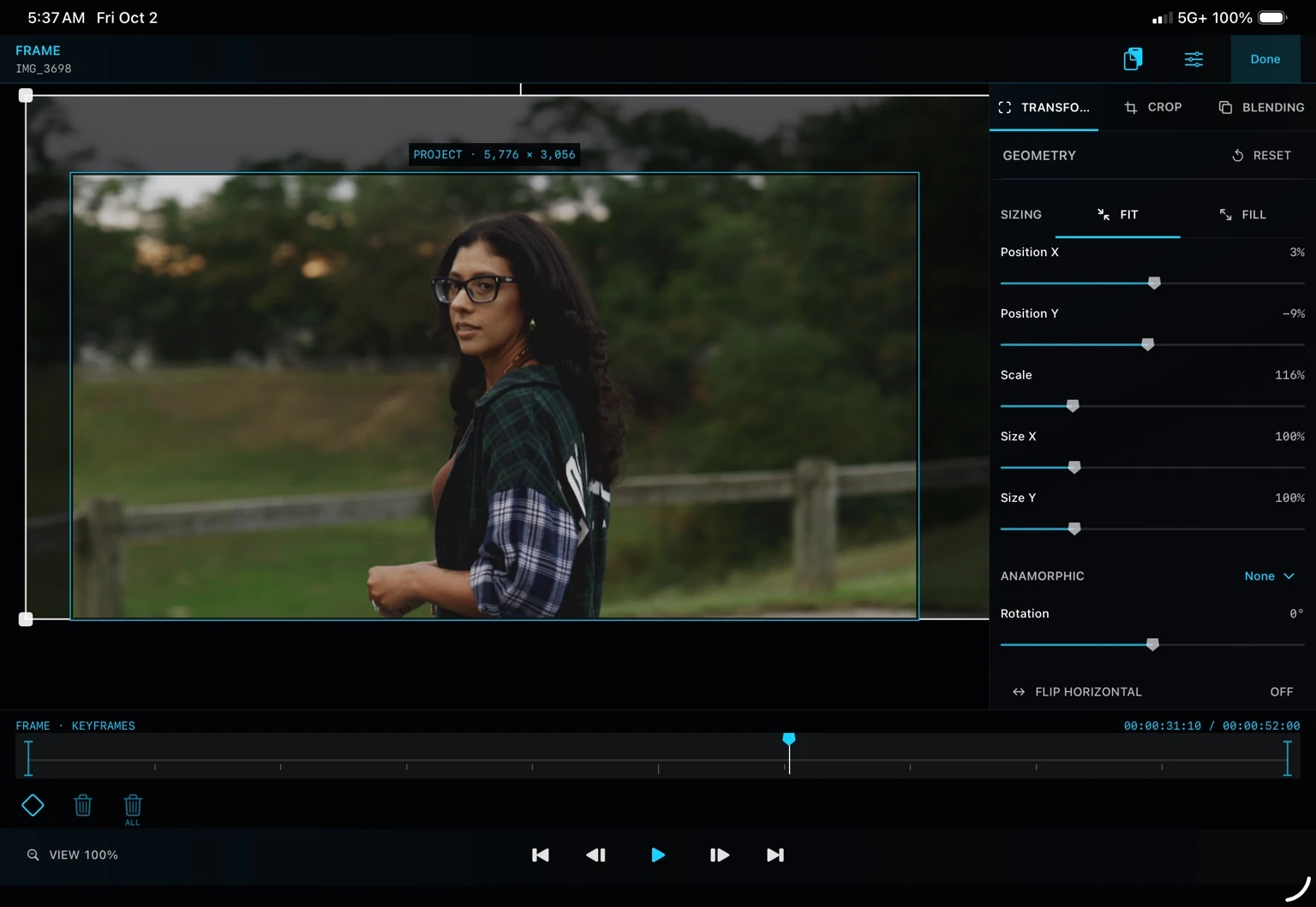
Kolora provides dedicated full-screen workspaces for animating supported grading controls, transforms, titles and visual effects. Its shared clipboard can copy compatible settings and keyframes between clips.
No. Spatial and rendered effects such as grain, halation, blur, transforms and titles are saved with native Kolora projects and rendered into video exports; they are not embedded in color LUTs.
No. Kolora processes imported projects and media on your device and does not upload them to servers operated by Kolora Creative LLC.
No. Kolora does not require an account.
No. Original source media remains untouched. Kolora stores project state and creates new exports, while timelines imported through supported project packages remain locked for grading round trips. Always retain independent backups of important projects and media.
Visit the Kolora Support page for workflow guidance and direct contact information.
Color belongs in the story
Built for iPadOS 17 and later. Kolora is in active development.
Request Beta Access